Lenovo Legion Pro 7i: Powerful, But Here’s the Truth

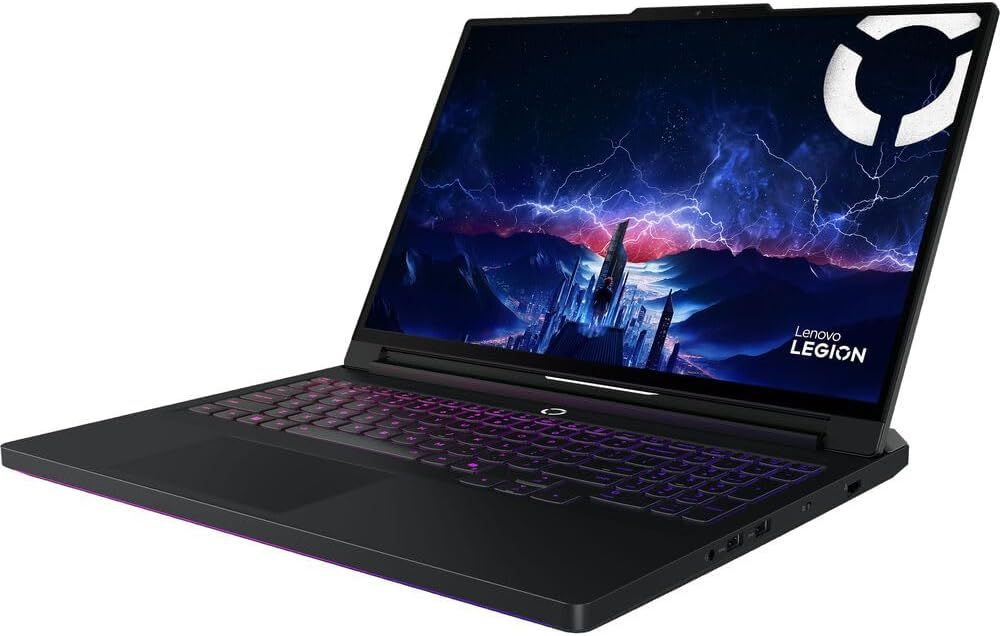
Today I’m excited to present an article about the Legion Pro 7i Gen 10 gaming laptop, which is currently one of the best value options out there. Even though it comes with the most powerful laptop GPU on the market, you can still find it for around $3700 instead of the $4000+ that laptops with these specs usually cost.

Before getting into details, there’s something important to keep in mind. Even if you’re buying a powerful laptop for work or gaming, the performance difference between a laptop RTX 5090 and a desktop RTX 5090 is huge.

Why is a laptop RTX 5090 less powerful than a desktop RTX 5090?

This mainly comes down to power consumption. The laptop version is limited to about 175W, while a desktop RTX 5090 can draw up to 575W. Supplying that much power in a laptop simply isn’t realistic.
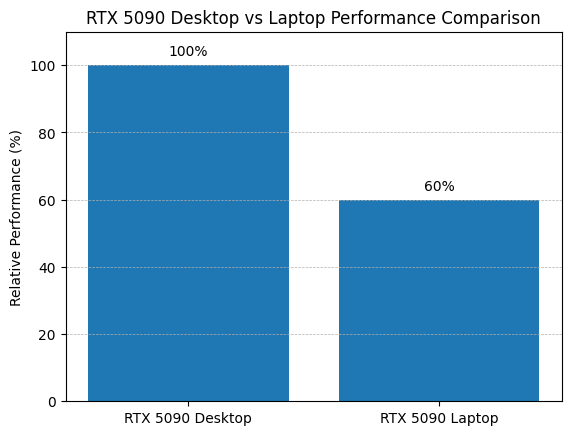
On top of that, laptop versions also have thermal and space limitations, so they run at lower clock speeds and sometimes with fewer active cores.

In reality, modern GPUs are designed with specific versions optimized for laptops, so it’s not entirely fair to compare them directly to desktop models. Still, it’s important to understand these technical differences.
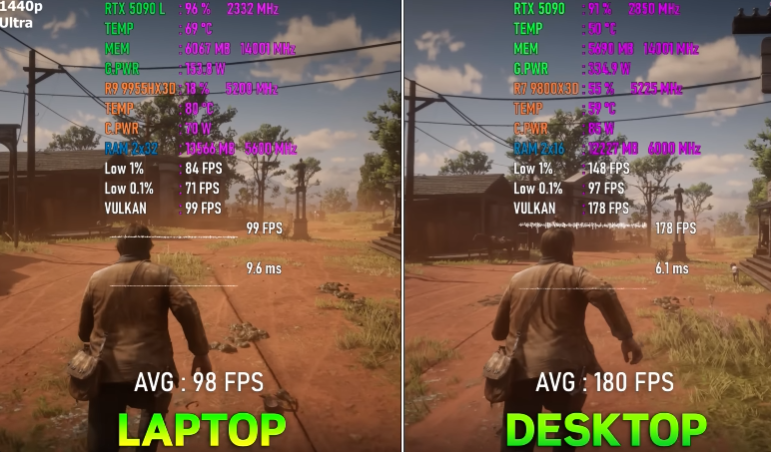
Here’s an example to show the FPS difference between a laptop and desktop RTX 5090. In Red Dead Redemption 2 at ultra settings and 1440p, a laptop averages around 98 FPS, while the desktop version nearly doubles that, reaching about 180 FPS.

If you ask me, calling them by the same name isn’t entirely accurate, but that’s partly marketing. Saying a laptop has an RTX 5090 sounds a lot more impressive than calling it something like “RTX 5090 Lite.”

Going back to the Lenovo Legion Pro 7i, it’s a solid laptop for students, professionals, or gamers who want raw power to run any program or game without issues.

What components does the Lenovo Legion Pro 7i include?

  • Processor: Intel Core Ultra 9 275HX
  • Operating System: Windows 11 Home (64-bit)
  • Graphics Card: NVIDIA GeForce RTX 5090 (24 GB GDDR7)
  • RAM: 64 GB DDR5 (2×32 GB, 6400 MHz)
  • Storage: 2 TB SSD (2×1 TB, PCIe Gen4)
  • Display: 16" OLED WQXGA (2560×1600, 240 Hz)
  • Camera: 5 MP with electronic shutter

Basically, with this laptop you can run modern AAA games at max settings with high FPS. It’s also capable of handling demanding tasks like complex 3D rendering, 4K and 8K video editing, and even developing projects that use local AI.

Does the Lenovo Legion Pro 7i work for streaming?

Yes, absolutely. It’s powerful enough to game and stream at the same time on platforms like Twitch or YouTube without any issues.

Where to buy it? Available on Amazon here.

This is the Microphone xQc Uses in his Streams

xQc is one of the biggest streamers in the United States, pulling in millions of monthly views and thousands of viewers in every live broadcast. But have you ever wondered what microphone he uses in his setup to get such clear, high-quality sound?

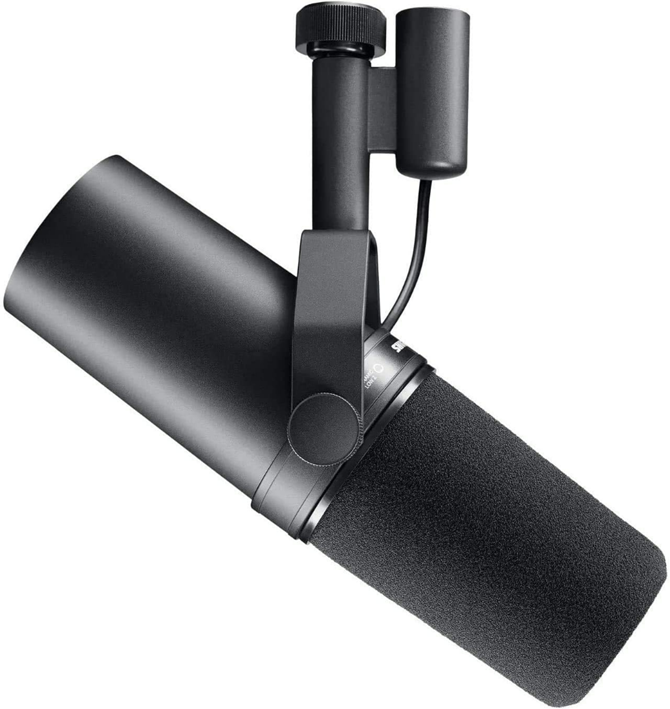
The answer is the Shure SM7B. It is one of the most highly rated microphones for streaming worldwide, not just by xQc.

The Shure SM7B is a microphone specifically designed and built for the human voice, which is why it has become a standard not only in streaming, but also in podcasting, music, and radio.

One of its key features, and the main reason it performs so well for voice, is its wide frequency range, delivering both deep lows and clear highs.

On top of that, it is designed to capture sound from the front, which helps reject background noise. This usually means less unwanted interference and better voice clarity when recording.

Is the Shure SM7B easy to use?

No, it requires quite a bit of additional equipment such as an audio interface, a preamp, and a microphone arm.

So if you are a beginner and just want an easy-to-use microphone with good quality, I would not recommend the Shure SM7B at all. You would need to spend a lot of money on the right gear, and there is also a learning curve before you can achieve professional sound.

On the other hand, if you already have experience and the right equipment, then go for it. This microphone could be the upgrade you need to take your content quality to the next level.

Where to buy it? Available here on Amazon!

Looking for a USB-C microphone used by famous streamers?

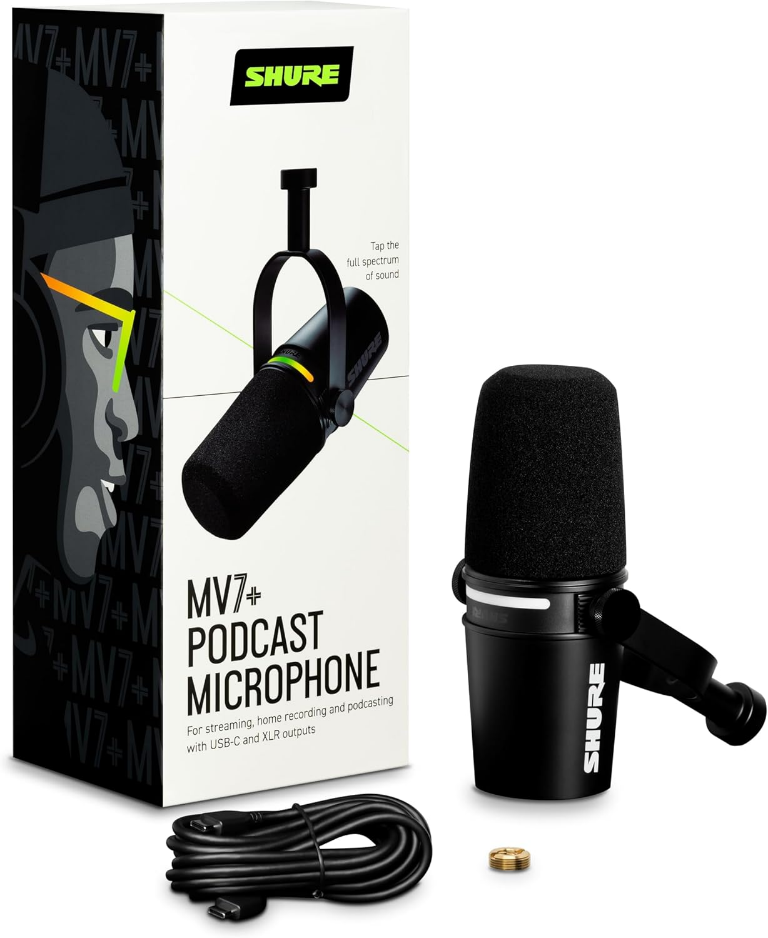
A very solid option is the Shure MV7+. It offers great sound quality, and while it has fewer professional adjustment options than the Shure SM7B, it is still widely used by many streamers and podcasters because it is plug and play.

Where to buy it? Available here on Amazon.

My Experience with the ACEMAGIC M5 mini PC

Today I have the chance to introduce a mini PC that is incredibly small, so much that it almost looks like a toy instead of something capable of running Windows 11. So without further ado, I’ll start this review by sharing the positives and, as usual, the aspects I consider negative.

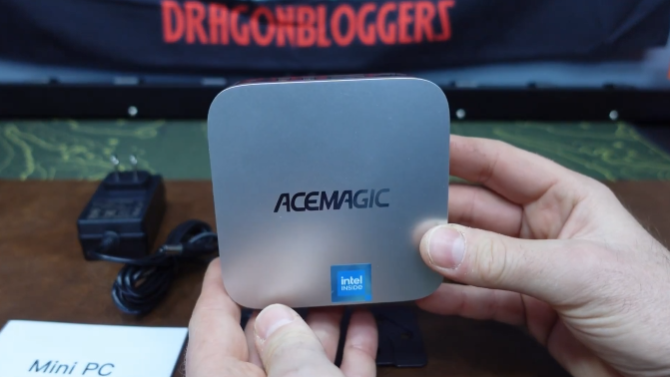
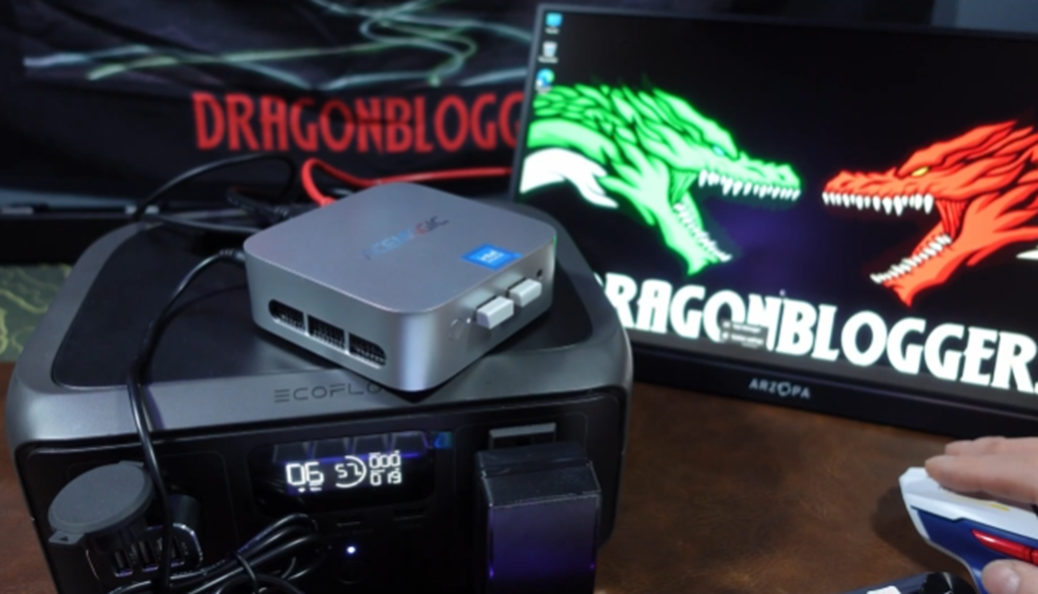
As you can see, the ACEMAGIC M5 is very compact. It almost fits in the palm of my hand. Because of that, the main audience is people who move around frequently and need something truly small but still powerful enough for basic office work.

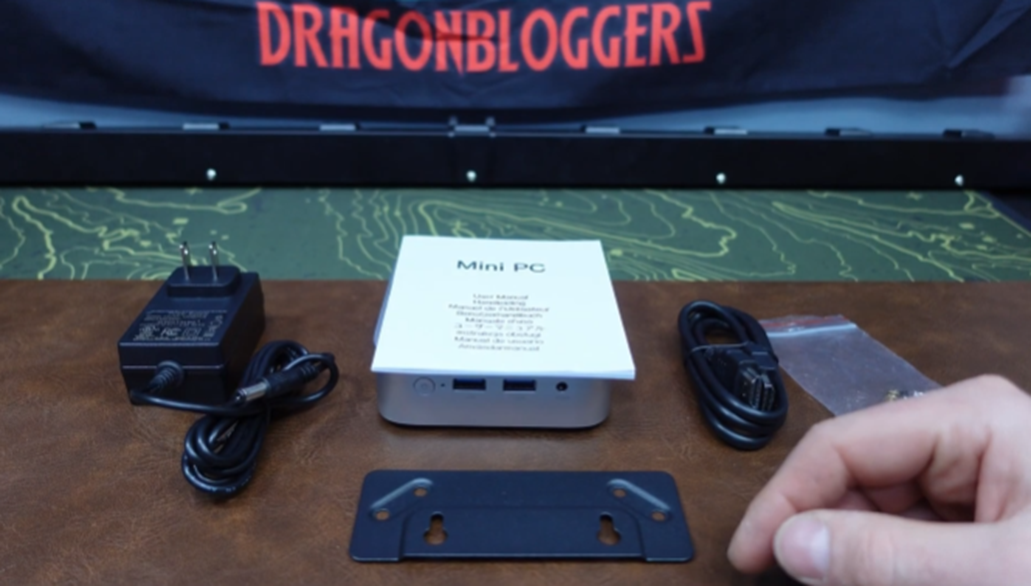
During the unboxing, I checked what was included. Along with the mini PC, it came with an HDMI cable, a power adapter, a VESA mounting bracket, and a user manual. It doesn’t include much, but you really don’t need more considering it’s a mini PC. Basically, all you need is a monitor to get started.

What components does the ACEMAGIC M5 mini PC have?

It varies a bit, but the standard version currently available comes with an Intel Core 14500HX processor, a 1 TB NVMe PCIe 4.0 SSD, and 32 GB of DDR4 RAM.

For a mini PC, this honestly surprised me. It’s very generous, especially considering how expensive RAM has become.

Here I already have it up and running. The ACEMAGIC M5 comes with Windows 11 Pro preinstalled, so you can start browsing the internet and downloading files right after completing the initial setup.

The fact that it includes a 1 TB NVMe SSD is amazing because it’s fast, really fast. Most mini PCs usually come with SATA SSDs, so this is a big plus.

Even though this is a small cube with solid components, it didn’t feel too hot to the touch. The cooling is quite good, which is very important. Without proper cooling, overheating would become a frequent issue, and that’s not something you want long term.

Another great feature is that it supports up to three 4K HDMI outputs, so you can turn this into a main PC with multiple monitors at the same time.

What did I like the least?

It does what it promises. It’s good for non-demanding programs and probably some low-requirement games like Fortnite on low to medium settings.

What I liked the least is that the internal cables are very close to the top cover when you try to open it. This mini PC can be upgraded, going from 1 TB up to a maximum of 4 TB. Because of that, I had to be careful when removing the top cover to check the inside, so keep that in mind if you ever plan to do it.

Is the ACEMAGIC M5 good for gaming?

I wouldn’t recommend this mini PC for gaming. It’s simply not powerful enough since it doesn’t have a dedicated graphics card. Instead, it relies on integrated graphics from the processor, which are enough for some modern non-AAA games.

People don’t buy a mini PC for gaming. They buy it for portability and the ability to move it anywhere without hassle.

The included components are enough to run video editing software in 4K, like Adobe Photoshop, Adobe Lightroom, Adobe Premiere Pro, DaVinci Resolve, and similar programs, but not for modern games.

Is it worth it?

It’s a good option only if you’re really looking for something that fits in your hand and lets you work from anywhere without problems. It’s quite powerful for a mini PC, but again, it’s meant for a very specific type of user who will actually take advantage of it.

Where to buy it? Available here on Amazon!