We are influencers and brand affiliates. This post contains affiliate links, most which go to Amazon and are Geo-Affiliate links to nearest Amazon store.
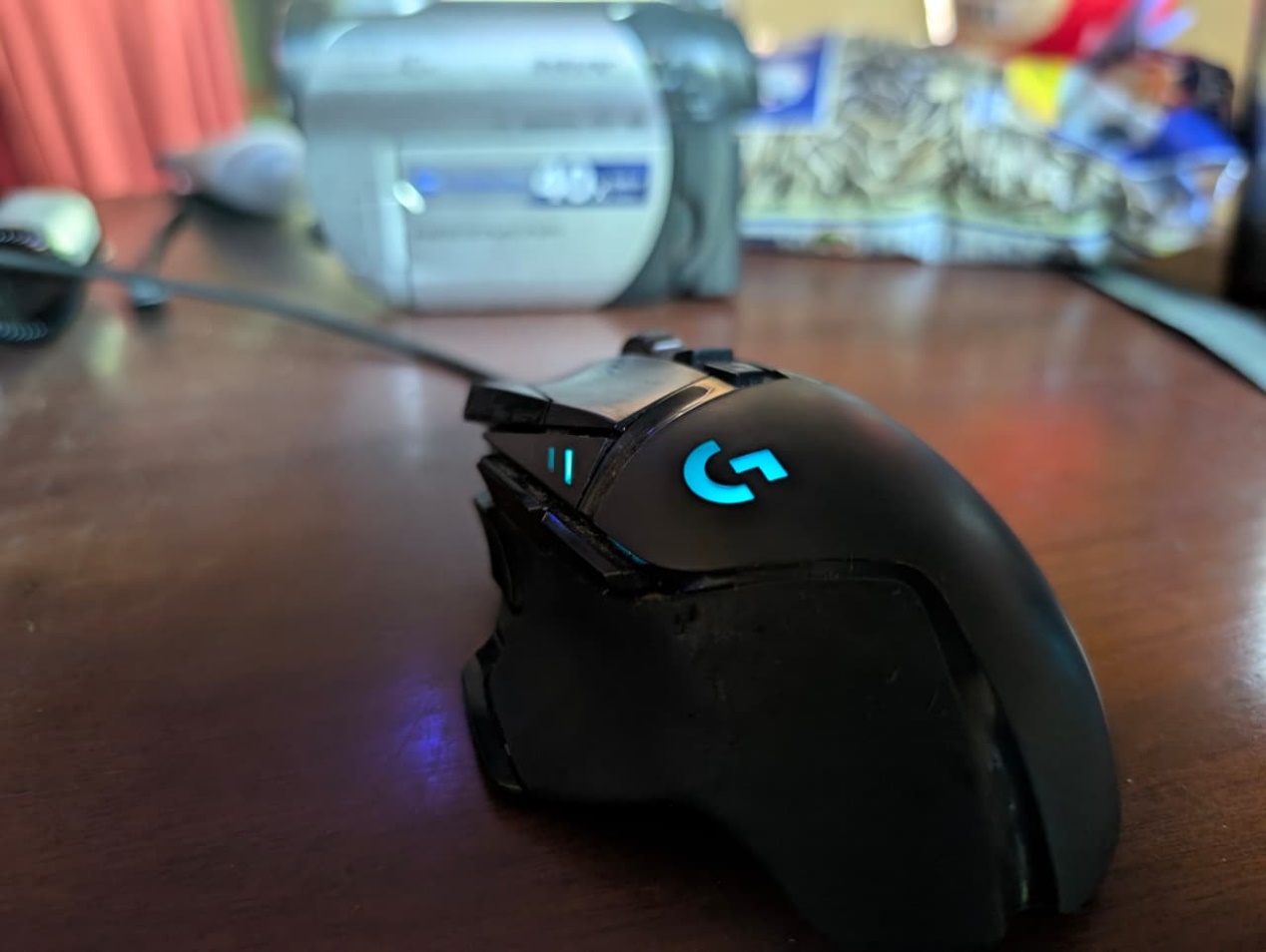
For more than two and a half years, I’ve used my Logitech G502 Hero mouse heavily for hundreds of hours, so I think I’m one of the right people to give an honest review based on my experience.
The Logitech G502 Hero is still one of the most popular wired gaming mice, so I understand why many people are looking for unbiased opinions about its durability and overall performance.
My experience:
Honestly, it’s still a pretty good mouse, and I’ll keep using it for a few more months before upgrading to a new one, probably wireless, because I have so many cables on my desk that I feel like I’m going to throw them all away one of these days.
As for the Logitech G502 Hero, it feels very ergonomic to me. I don’t have huge hands. I’d say they’re on the smaller side for a man, but not small like a woman’s hands, maybe more like medium. My brother has bigger hands, and he also finds this Logitech mouse very comfortable to use.
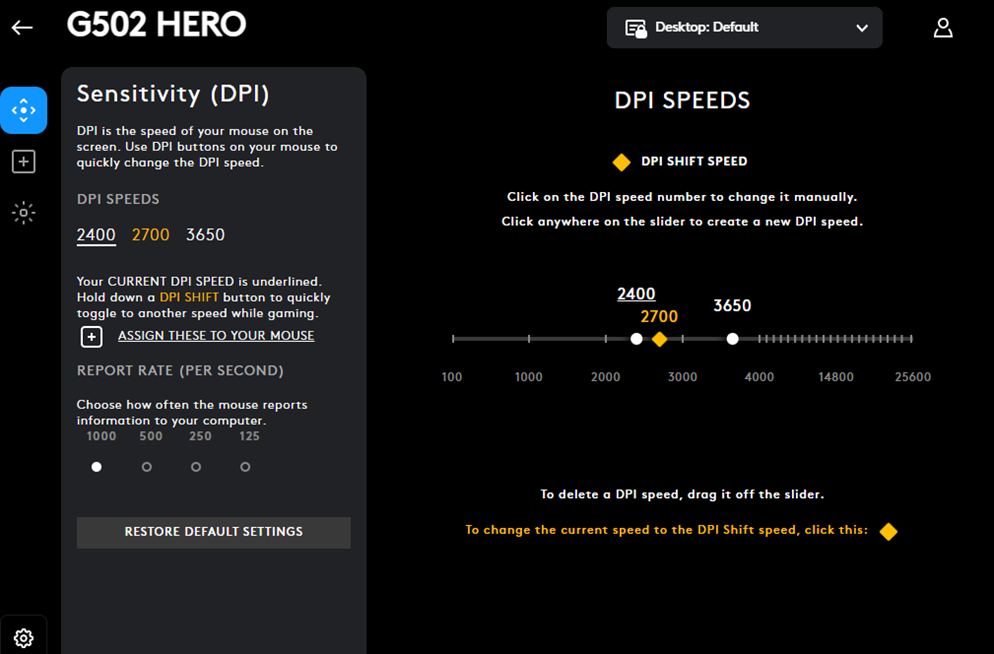
I love the fact that I can adjust the DPI to higher than standard levels. For that, I had to download the free Logitech G HUB software. The Logitech G502 Hero can reach up to 25,000 DPI, but honestly, that level is pretty useless.
On average, I usually stick to a DPI range between 2400 and 3650. Using the software, you can set up different profiles and switch between them quickly with the buttons on the mouse.
About the customizable buttons, I have to admit I don’t really use them most of the time. They’re supposed to give you an advantage in games or even in some programs, but I’ve never fully taken advantage of them. That said, there are three buttons on the left side that you can use for game setups.
The scroll wheel:
Scrolling on this mouse was probably the craziest thing I had ever experienced on a mouse. At one point I even thought it was broken. It literally spins almost infinitely and very fast, so I can go from the top of a page to the very end of a document in less than a second.
It has two modes. If you press it, it becomes more rigid and slower, but I got used to the “infinite” scroll, so I have pretty good precision with it. The same thing happened with DPI. I started at a lower level and gradually increased it to over 3000, even though most people would find that ridiculously fast.
Durability:
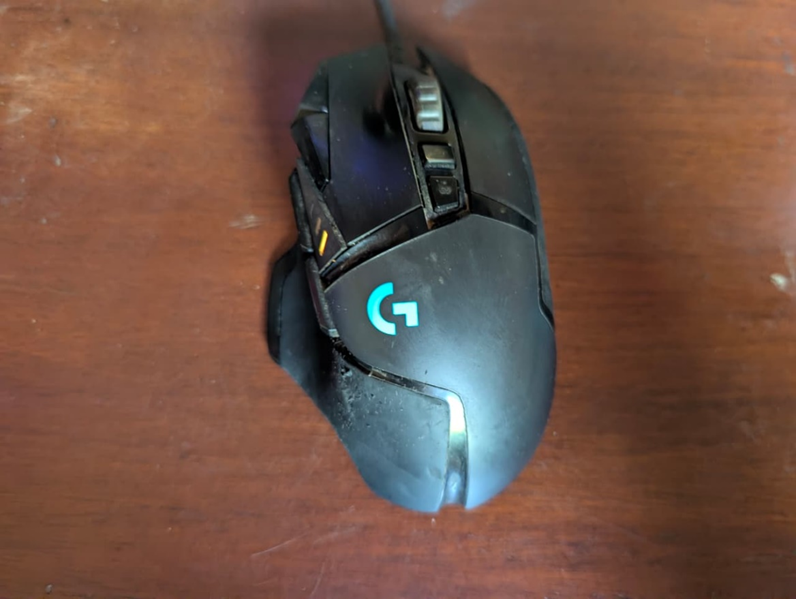
In terms of durability, I feel like it has held up well, but I use it a lot. This is literally my main mouse, and I use it for many hours every day.
I’ve noticed that the rubber on one of the sides has started to wear out a bit, and it’s now visible, although it doesn’t affect performance at all.
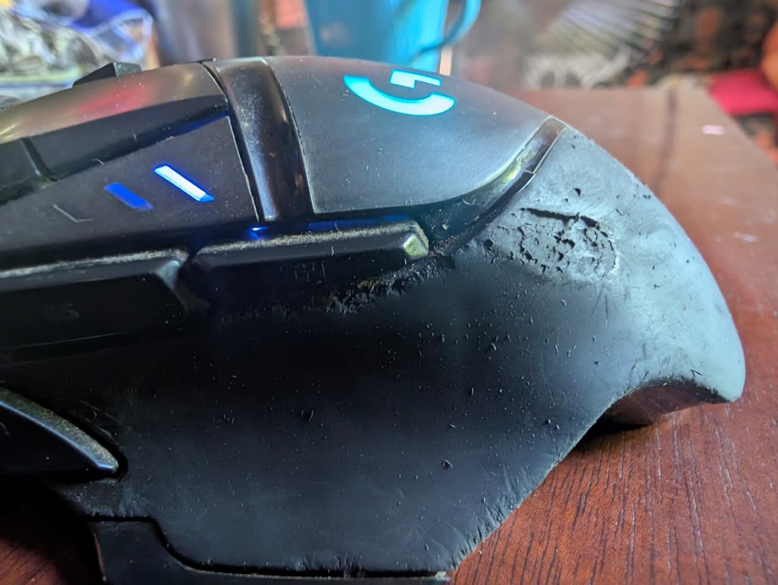
In the photo, you can see that if I zoom in, the wear on the left side rubber is even more noticeable. This made me question a bit how good its durability really is, even though it’s one of the most popular gaming mice.
I live in a hot region, with average temperatures above 30°C (86°F) and humidity levels above 80% throughout the year. It’s very possible that this affects the materials negatively, so I’m not sure how common this issue is for other users who also use it heavily but live in milder climates.
Once again, this is not casual use. I can easily spend up to 8 hours a day on my computer, just to give you an idea.
Is the Logitech G502 Hero worth it?
Based on my experience, this is a solid mouse. It’s been a real workhorse, handling thousands of hours over more than 2 years of heavy use. So yes, it exceeded my expectations compared to my previous mouse, which started having issues after just a few months.
It’s also great that it offers some customization options, like lighting, DPI levels, and button configuration through the Logitech G HUB software.
Where to buy it? Available here on Amazon!